Oracle has just released their quarterly Oracle database security patches (july 2025). This quarter 6 security vulnerabilities were patched and new features and enhancements were introduced.
Lately (for the last few quarters) Oracle has introduced many good and new features in 19c [ so far the long term release] !
After Applying 19.28 RU a new set of system parameter were introduced:
SQL> show parameter mfa
NAME TYPE VALUE
mfa_duo_api_host string
mfa_oma_iam_domain_url string
mfa_sender_email_displayname string
mfa_sender_email_id string
mfa_smtp_host string
mfa_smtp_port integer 587
its related to : Oracle Database Multifactor Authentication (MFA) : https://blogs.oracle.com/database/post/new-mfa-jul2025
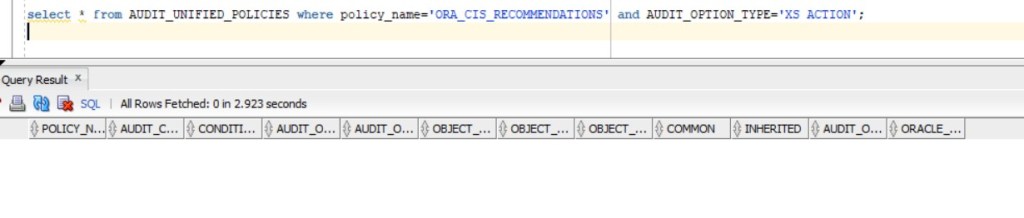
Another new enhancement is in Unified Auditing where a set of “Real Application Security” Audit actions were added to multiple pre-configured audit policies such as ORA_CIS_RECOMMENDATIONS
in 19.27 :
select * from AUDIT_UNIFIED_POLICIES where policy_name=’ORA_CIS_RECOMMENDATIONS’ and AUDIT_OPTION_TYPE=’XS ACTION’;
in 19.28:
select * from AUDIT_UNIFIED_POLICIES where policy_name=’ORA_CIS_RECOMMENDATIONS’ and AUDIT_OPTION_TYPE=’XS ACTION’;




 Geodata Master