First create a database account called “vector” in FREEPDB1 pluggable database as follows:
SQL> CREATE USER VECTOR IDENTIFIED BY VECTOR123
DEFAULT TABLESPACE “USERS”
TEMPORARY TABLESPACE “TEMP”;
GRANT “DB_DEVELOPER_ROLE” TO “VECTOR”;
ALTER USER “VECTOR” DEFAULT ROLE ALL;
ALTER USER “VECTOR” QUOTA UNLIMITED ON USERS;
Starting in oracle 23ai you can define vector data type column in different ways:
23ai > sqlplus “vector/vector123″@FREEPDB1
SQL> create table t1 (v vector);
Table created.
SQL> desc t1
Name Null? Type
—————————————– ——– —————————-
V VECTOR(*, *)
The above column data type corresponds to —-> VECTOR(*, *) which means embedding vector data will be aribitary in terms of dimension and data type.
SQL> create table t2 (v vector(235,*));
Table created.
SQL> desc t2;
Name Null? Type
—————————————– ——– —————————-
V VECTOR(235, *)
The above means acceppted vector data must have 235 dimensions with arbitary data type.
SQL> create table t3 (v vector(444,int8));
Table created.
SQL> desc t3
Name Null? Type
—————————————– ——– —————————-
V VECTOR(444, INT8)
The above means acceppted vector data must have 444 dimensions with data type of INT8. Accepted data types for vector data are (INT8, FLOAT32,FLOAT64), worth stating that FLOAT32 is the default data type if format is not specified.
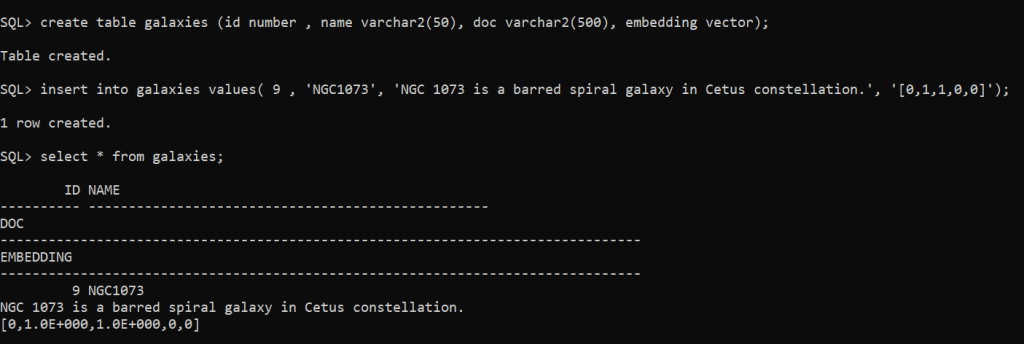
SQL> create table galaxies (id number , name varchar2(50), doc varchar2(500), embedding vector);
Table created.
SQL> insert into galaxies values( 9 , ‘NGC1073’, ‘NGC 1073 is a barred spiral galaxy in Cetus constellation.’, ‘[0,1,1,0,0]’);
1 row created.
SQL> commit;
Important Remark: restrictions with VECTOR column data type:
Can’t be used with external tables, IOTs, cluster tables, global temporary tables, primar key, foreing key, unique constraint,….etc.
- Of course you can add multiple vector data type columns on the same table, no restriction is imposed on having multiple columns with vector data type.
- The maximum number of dimensions a vector data type can have is 65,536.


 Geodata Master