In Oracle Multitenant architecture which was initially introduced in Oracle 12CR1, the security isolation between PDB’s is an important aspect to ensure in a cloud multi-hosting environment multiple customers data are protected from any unauthorized access or any type of security breach.
Two main methods to maintain isolation among PDB’s in your CDB container: PATH_PREFIX , and Lockdown Profiles.
PATH_PREFIX is a parameter you specify while creating the pluggable database to limit operating system file system exposure at the pluggable database level, so you can only access and create directories within the specified value. However, this has shortcomings because PATH_PREFIX can only be specified/defined while the database is being created in the SQL statement clause. The SQL statement will look like the following:
CREATE PLUGGABLE DATABASE sales_pdb
ADMIN USER sales_admin IDENTIFIED BY “YourPassword123”
ROLES = (PDB_DBA)
FILE_NAME_CONVERT = (‘/u01/app/oracle/oradata/CDB1/pdbseed/’,
‘/u01/app/oracle/oradata/CDB1/sales_pdb/’)
PATH_PREFIX = ‘/u01/app/oracle/oradata/CDB1/sales_pdb/storage/’;
You can’t set it later on….in the past the only solution was to drop and re-create the database with this parameter being specified in the create pluggable database statement.
This is changed starting with Oracle 19.30 RU, a new parameter was introduced “DIRECTORY_PREFIXES_ALLOWED”
You set this parameter at CDB level , and it will restrict access and directory creation.
Let me simulate it in 19.31 [April 2026 release update]:
sqlplus / as sysdba
SQL> ALTER SYSTEM SET DIRECTORY_PREFIXES_ALLOWED=’/opt/tmp’;
System altered.
// There is no database instance restart is required
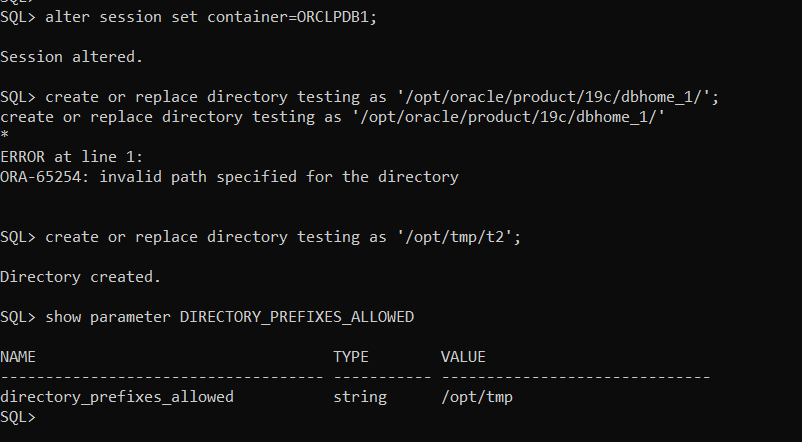
Now, to test it….as SYS account I will access pluggable database ORCLPDB1
SQL> alter session set container=ORCLPDB1;
Session altered.
SQL> create or replace directory testing as ‘/opt/oracle/product/19c/dbhome_1/’;
create or replace directory testing as ‘/opt/oracle/product/19c/dbhome_1/’
*
ERROR at line 1:
ORA-65254: invalid path specified for the directory
// it failed as shown above
SQL> create or replace directory testing as ‘/opt/tmp/t2’;
Directory created.
// it will succeed if the directory referenced on the same path as defined in the parameter