How to roll back (Revert) Oracle 12c database patch (PSU) – (de-install PSU)

Sometimes you need to roll back the applied Oracle database PSU (Patch Set Update) for whatever the reason is. So you need to know how to de-install the patch applied in quick and swift way especially if you are doing it in production environment.

On the other hand, a DBA shouldn’t resort to this unless there is a big impact on production applications since in a controlled IT change environments patches are usually applied first in test, QA, and then production and tested during these stages.

Also, another important information to mention is that Oracle is now releasing 2 patches ( 1 database, and 1 for JAVA component) every quarter. And the Java Component patch sometimes could lead to application problems with specific vendors so you need to be careful.

The following is general overview procedure in how to roll back a database patch (either for database or Java component), in my example I am referring to JULY 2015 Oracle release quarterly security patch. It’s very important that you read the (readme.html) accompanied with the patches downloaded.

1.de-installing the database patch:

  • Shtudwon the database and the listener of your database using the commands:

lsnrctl stop LISTENER_TESTDB

sqlplus ‘/as sysdba’

SQL> shutdown immediate

**** Then run the Opatch utility to roll back the applied patch:

cd /app/oracle/downloaded_patch/july2015/20831110

opatch rollback -id 20831110

You should receive message similar “OPatch completed successfully

If you have warning then you can check the logs in the directory specified in the output.

  • Now the Post De-instillation will take place:

sqlplus ‘/as sysdba’

startup

cd $ORACLE_HOME/OPatch

./datapatch –verbose

*** To verify that the patch is rolled back successfully:

select * from dba_registry_sqlpatch where PATCH_ID=20831110;

rollback_patch_db

Important Remark:

My recommendation is to use utilrip after that  to re-compile all database objects:

@$ORACLE_HOME/rdbms/admin/utlrp.sql

Also checking that all database components are vaild post de-instillation:

Select * from dba_registry;

lsnrctl start LISTENER_TESTDB

********************************************************************

2.de-installing the Java patch:

  • Shtudwon the database and the listener of your database using the commands:

lsnrctl stop LISTENER_TESTDB

SQL> shutdown immediate

*** Then run the Opatch utility to roll back the applied patch:

cd /app/oracle/downloaded_patch/july2015/JAVA/21068507

opatch rollback -id 21068507

  • Now the Post De-instillation will take place:

sqlplus ‘/as sysdba’

SQL> startup upgrade ;

SQL>exit

cd $ORACLE_HOME/OPatch

./datapatch –verbose

You will receive a message similar to this:

Patch 21068507 rollback: SUCCESS

SQL> shutdown immediate;

SQL> startup

Don’t forget to startup the listener:

lsnrctl start LISTENER_TESTDB

*** To verify that the patch is rolled back successfully:

select * from dba_registry_sqlpatch where PATCH_ID=21068507;

rollback_patch_db_java

Important Remark:

My recommendation is to use utilrip after that re-compile all database objects:

@$ORACLE_HOME/rdbms/admin/utlrp.sql

Also checking that all database components are valid post de-instillation:

Select * from dba_registry;

I hope this would help…..

New compression algorithm parameter in datapump utility for 12c : COMPRESSION_ALGORITHM

A new “compression algorithm” parameter has been introduced in 12c release for export datapump utility, the parameter is: COMPRESSION_ALGORITHM .

There are three modes for this new compression: basic, low, medium, high

The default mode is “basic”.

** Here i am going to explore exporting the same schema in 3  different ways for testing purpose from a 12c database:

Exporting the schema using datapump command with “no compression”:

$ORACLE_HOME/bin/expdp “‘/as sysdba ‘”  DIRECTORY=DUMP_DIR  SCHEMAS=TEST_SCHEMA DUMPFILE=DUMP_NO_COMPRESSION.dmp  logfile=DUMP_NO_COMPRESSION_EXP.log logtime=all

Exporting the schema using datapump command using the new compression parameter in “HIGHT” mode:

$ORACLE_HOME/bin/expdp “‘/as sysdba ‘”  DIRECTORY= DUMP_DIR  SCHEMAS= TEST_SCHEMA DUMPFILE=DUMP_HIGHT_COMPRESSION.dmp COMPRESSION=ALL COMPRESSION_ALGORITHM=HIGH logfile=DUMP_HIGH_COMPRESSION_EXP.log logtime=all

Exportng the schema using datapump command using the new compression parameter in “MEDUIM” mode:

$ORACLE_HOME/bin/expdp “‘/as sysdba ‘”  DIRECTORY= DUMP_DIR  SCHEMAS= TEST_SCHEMA DUMPFILE=DUMP_MEDIUM_COMPRESSION.dmp COMPRESSION=ALL COMPRESSION_ALGORITHM=MEDIUM logfile=DUMP_MEDIUM_COMPRESSION_EXP.log logtime=all

The conclusion is the following:

  • Dump file generated with “no compression” size for the schema was around 13.41 GB
  • Dump file generated using the “high compression” size was around 6.88 GB
  • Dump file generated using “medium compression” size was around 7.31 GB

Important remark: the normal export took around 7 minutes to finish however the highly compressed export process took around 1 hour !!!

While using medium compression algorithm it took 16 minutes.

This was performed on IBM AIX environment for Oracle 12.1.0.2, of course the “server resources” is a factor while performing compression in addition to the “data types” of the schema exported is another factor to be considered.

—————-

How to create a plug-gable database in Oracle 12c Multi-tenant Architecture ?

One of the fundamental questions for the Oracle DBA who is exploring Oracle 12c new multi-tenant architecture is how to create a pluggable database.

here i am exploring 2 methods……Let us start.

Method 1: using SQL Developer

After connecting to the database, you need to add the “DBA” option.

In sql developer go to “view”——–> then choose “DBA.

Then add the already defined database connection:

DBA database connection in SQL Developer

And choose “OK”
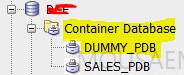
Then, right click on “Container Database” and choose “Create_Pluggable Database” option

container database in sql developer

create pluggable database GUI

The associated SQL definition output:

CREATE PLUGGABLE DATABASE DUMMY_PDB ADMIN USER DUMMY_ADMIN IDENTIFIED BY dummy55

FILE_NAME_CONVERT=(

‘/oracle/DCE/DCE/pdbseed/’, ‘/oracle/DCE/DCE/dummypdb/’

)

STORAGE (

MAXSIZE 50M

MAX_SHARED_TEMP_SIZE UNLIMITED

)

When I hit “Apply”, I received the error ORA-65113: value of MAX_PDB_STORAGE property  for the PDB is too low


create pluggable database error


When I increased the value to 900 MB, the execution was successful

create pluggable database success

You will find that the new pluggable database has been created successfully:

pluggable database tree added sql developer

Method 2: using Traditional SQL Statement

—Creating Pluggable database from “seed

SQL> CREATE PLUGGABLE DATABASE sales_pdb

ADMIN USER dbapower IDENTIFIED BY fofo431

ROLES = (dba)

DEFAULT TABLESPACE TS_SALES_DATA_01

DATAFILE ‘/oracle/DB45/sapdata1/sales01.dbf’ SIZE 100M AUTOEXTEND OFF

FILE_NAME_CONVERT = (‘/oracle/DB45//DB45/pdbseed/’,

‘/oracle/DB45//DB45/salespdb/’)

STORAGE (MAXSIZE 1G)

PATH_PREFIX = ‘/oracle/DB45/DB45//salespdb/’;

sqlplus error for Oracle 12c in IBM AIX : rtld: 0712-001 Symbol CreateIoCompletionPort was referenced

I have received the below error when I tried using sqlplus on IBM AIX server with Oracle 12c installed on it and upgraded:

sqlplus ‘/as sysdba’

exec(): 0509-036 Cannot load program sqlplus because of the following errors:

rtld: 0712-001 Symbol CreateIoCompletionPort was referenced

      from module /oracle/oradb/product/12.1.0/lib/libttsh12.so(), but a runtime definition

      of the symbol was not found.

rtld: 0712-001 Symbol GetMultipleCompletionStatus was referenced

      from module /oraclex/oradbp07/product/12.1.0/lib/libttsh12.so(), but a runtime definition

      of the symbol was not found.

rtld: 0712-002 fatal error: exiting.

Solution

Change the IOCP IBM AIX parameter from “defined” to “available”, this action requires root privilege

# smitty iocp
Select Change / Show Characteristics of I/O Completion Ports.
Change configured state at system restart from Defined to Available

Remark: it is a prerequisite to change IOCP parameter before upgrading the database to 12c in IBM AIX environment.

I hope this helps………

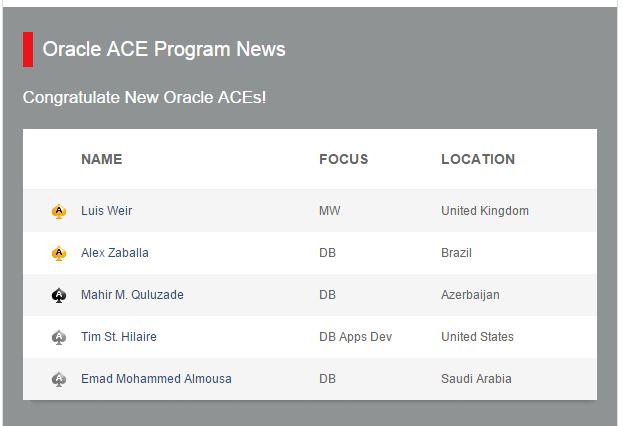
Oracle ACE Associate Award

I have been awarded the Oracle ACE Associate Award, this award is given to elite technical professionals in Oracle technology, for their expertise in addition to their contribution within Oracle community.

I am very happy to say that i am the First Saudi National IT Professional to receive such distinction 🙂  , and among the best of Oracle ACE’s from around the world.

My Oracle ACE Profile:

https://apex.oracle.com/pls/apex/f?p=19297:4:::NO:4:P4_ID:13500

Oracle ACE News Letter for the Month of September 2015: 

http://www.oracle.com/us/dm/nsl100458614-na-us-nl-newsl3-ev-2672873.html?elq_mid=26233&sh=2214262326151412682615251372222&cmid=WWMK14057711MPP002C010

Oracle ACE Associate

Emad Al-Mousa Oracle ACE Profile

Oracle ACE News Letter

الحمد لله رب العالمين

Performing Import Data Pump with EXCLUDE=STATISTICS

some DBA’s use EXCLUDE=STATISTICS parameter in their import datapump command in order to speed up the import process.

*** example of impdp command:
impdp power_user/power43b Directory=DUMP_DIR Dumpfile=Exp_schema.dmp Logfile=Exp.log EXCLUDE=STATISTICS
However, in reality indexes created while importing are “analyzed” automatically, and this is performed by design. Only tables that are not going to be “analyzed” while importing.

the reason behind that is there is a hidden parameter called “_optimizer_compute_index_stats” is set to “TRUE“.
its not advisable that you manipulate Oracle hidden parameters, you need to consult Oracle and open SR with them in case you need their consultation.

to check that indexes were analyzed after the import, use the sql query:

SQL> select OWNER, INDEX_NAME, TABLE_NAME, LAST_ANALYZED from dba_indexes where OWNER=’power_user’;

Have A Nice Summmmmmmer…

Summer-Sun-3

ORA-00604: error occurred at recursive SQL level 1 ORA-06598: insufficient INHERIT PRIVILEGES privilege ORA-06512: at “XDB.DBMS_CSX_INT”, line 1 while upgrading to 12c

while upgrading your database to 12c , its very important that you monitor your alert.log file to check for errors and potential problems.

to find out the location of you alert log file, query the following:

SQL> select * form v$diag_info;

one of the databases that i have upgraded, i found the following error being thrown in the alert.log file:

XDB SGA reset to NULL.

ORA-00604: error occurred at recursive SQL level 1

ORA-06598: insufficient INHERIT PRIVILEGES privilege

ORA-06512: at “XDB.DBMS_CSX_INT”, line 1

this error can be ignored, to ensure that your XDB component is ok run the utilrip after the upgrade is completed:

SQL>@?/rdbms/admin/utlrp.sql

make sure that the XDB is fine by querying:

SQL> select COMP_NAME,VERSION,STATUS from dba_registry;

so basically the error is not dangerous but you need to verify that everything is fine.

*************************************** …….*****************************************   🙂

TRANSFORM=DISABLE_ARCHIVE_LOGGING in Oracle 12c

a new parameter was introduced in Oracle 12c  for the datapump operations. this parameter is TRANSFORM=DISABLE_ARCHIVE_LOGGING

To explore this parameter let me first start importing a schema in my database without specifying the parameter:

my current database is in “archive log mode”

select LOG_MODE , force_logging from v$database;

query for archive log mode

The time taken for this import was 2 hours !!!

And, 55 GB of archive storage was generated during the import.

Now, i will re-import again using the parameter TRANSFORM=DISABLE_ARCHIVE_LOGGING in my below command:

nohup $ORACLE_HOME/bin/impdp “‘/as sysdba ‘”  DIRECTORY=EXP_DIR DUMPFILE=SCHEMA_JUNE28.dmp transform=disable_archive_logging:y logfile=IMP_disable_archive.log  &

the time taken to finish the import was 1 hour 28 minutes !!! half an hour less the the normal standard import operation.

And, the storage of the archive log was around 30 GB.

The conclusion of this exercise is that the new parameter introduced in 12c will benefit in 2 things:

  • faster import process completion
  • less storage for archive generation

Remark: make sure that when you use this parameter ,that if you have a logical standby setup for the database, that the database is in “archive log mode” and “force logging” is enabled.

Presenting at the Saudi National GIS Symposium in 2014

last year i have presented at the ” 9th Saudi National GIS Symposium“.  In this conference i talked about GIS Database Security which is a unique topic, as it mixes IT & GIS fields in enterprise systems.

The presentation tackled many topics such as : the architecture of Security layers in enterprise IT GIS system, implementing best security practices in GIS database using Oracle Security products (Network Encryption, Label Security, Access Controls).

عماد الموسى

عماد الموسى - مؤتمر

http://www.saudigis.org/